How SmartSlaps works
Choose a Guardian.
Learn something new.
Choose a Guardian sticker, place it on a suitable personal item, and use the starting guide to try a learning activity.

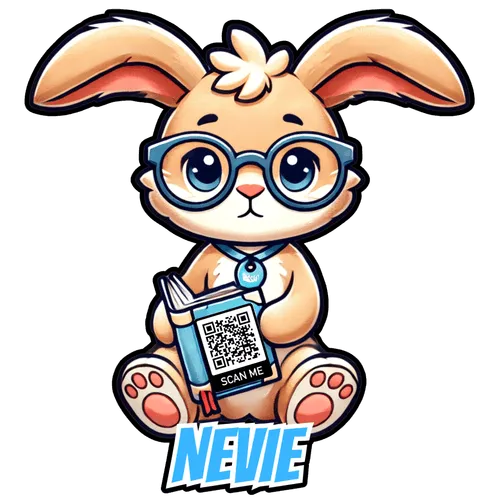

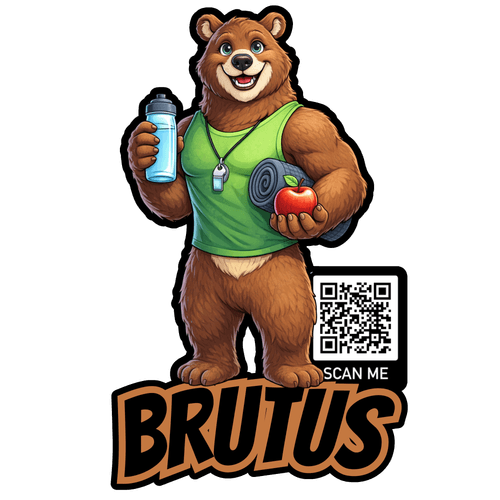 Choose from the available Guardians
Choose your Guardian.
Pick from the SmartSlaps available with your grown-up. Would you like to explore reading, science, or healthy habits?
- Example sticker placement
Stick it somewhere yours.
Choose a suitable surface on your own notebook, bottle, or another personal item. Ask permission first, then let your Guardian start a conversation.
- A simple way to startWhat are you
curious about
today?Ask. Explore. Explain.Try a question togetherLearn it. Share it.
Open the starting guide with your grown-up. Ask a question, try a small learning activity, and tell someone what you discovered. Sharing offline counts too.
Authentic Guardian artwork shown. Notebook and bottle are placement examples, not included items. Guardian availability varies.
For grown-ups & community organizers
How adults can organize community support.
Schools, libraries, and public-safety communities can bring adults together around a mission.
- 01 · FIND
Choose a community.
Find your school or choose a cause. Search existing teams before creating another.
- 02 · JOIN
Join or start a team.
An adult coordinator sets up the team’s story, goal, and intended recipient.
- 03 · INVITE
Share your team link.
Invite adults to give or share. Donors check team credit and recipient details at checkout.
- 04 · FOLLOW
See the progress.
Follow the campaign, recipient payments, and reported results. Raised and delivered are different milestones.
No student fundraising quota. No donation required to join. A sticker scan does not make a donation or automatically credit a team; use the team’s own fundraising link.
Find your challenge →Learning, fundraising, and follow-through.
Here for learning? Request free SmartSlaps or use the online guide now. Your saved request gets a reference and private status link. Review, approval, shipment and confirmed receipt are separate steps.
Here to support a community? Find your school, choose a cause, or open a verified team’s own page. Adults manage fundraising. Check the recipient and team credit before giving.
Recipient support is sent or delivered on the 1st of each month. The ledger shows its reporting date and payment status. Our reviewed community profiles distinguish fundraising, recipient payments and reported results.
Need help setting up? Send a tracked challenge inquiry. A coordinator can celebrate practical progress too: an activity held, an update shared or a delivery confirmed. No student fundraising quota is required.
Choose your community.
Want to support SmartSlaps materials, shipping, and the tools behind the mission? Give to the Foundation. Have another kind of community mission? Talk with us about it.
How to register your team.
Choose your cause and find your team.
Open the school, library, or public-safety campaign. Search teams first so supporters can rally in one place. If no suitable team exists, choose an adult coordinator and prepare a public team name, city, state, and mission.
Register and make it yours.
Select Join the Challenge on the campaign. Follow the sign-in or registration prompts, then choose Join a team or Start a team. Add the requested goal and story, review your public details, and finish with Join this fundraiser.
Share the link that gives your team credit.
Save your team or team-member fundraising link. Share it with adults through your approved community channels. Donors should check the team credit and enter the intended recipient’s full name, city, and state. A directory link or ordinary QR scan does not automatically credit a team.
Update your supporters.
Check your campaign’s leaderboard, thank supporters, and post accurate progress updates on your fundraising page. Invite another community to a friendly challenge. Describe what you hope to make possible, and distinguish money raised from funds delivered or work completed.
Each campaign has its own team leaderboard. There is no combined cross-cause ranking. Schools in the directory are not automatically registered teams.
Follow the support all the way through.
Donors, parents, and neighbors should be able to ask: What was raised? What reached the mission? What did it make possible? Children can explore those questions with a trusted adult, too.
Check the campaign for fundraising progress, the public ledger for reported support and status, and the recipient’s documented updates for results. Keep those three measures separate. A missing update means more information is needed, not that a community failed.
Organizer checklist.
Use this checklist with your adult coordinator. Choose a goal, tell a clear story, invite people in, and keep showing what their support makes possible.
This checklist is for your planning; it resets when you reload. It does not register a team.
Make your first invitation.
Add your team’s public details and fundraising link. Copy the draft, personalize it, and share it through your own approved channels.
Nothing is submitted or sent from this tool. Your entries stay in this page and clear when you reload. Replace all bracketed placeholders before sharing.
Know what happens next.
Our school is missing. Can we still start?
Yes. An adult can begin a school or homeschool team while a listing request is reviewed. Submit a missing-school request. Save its reference and private tracking link. The request does not automatically create a team or add the school to the directory.
Our library or public-safety agency is not listed. What should we do?
Search for a team on the relevant campaign. If none exists, use Join the Challenge and Start a team. Use the full branch or agency name, city, and state. Confirm permissions before presenting the page as an official organizational effort.
Where do I manage my page and donations?
Open the portal link in your Givebutter confirmation or receipt email. Find your fundraising pages to edit or share your individual page; recurring donors can also manage their gifts there. For shared team name, goal, or logo changes, email hello@smartslaps.com. Givebutter portal instructions ↗.
What counts toward the leaderboard?
Gifts credited to a team contribute to its fundraising total. Use the team or team-member link and check credit at checkout. A name in the required recipient field records a designation; it does not by itself select a team. If credit or designation needs correcting, contact SmartSlaps with the receipt reference. Do not send payment-card details.
Are there fees or automatic transfers?
Givebutter tips are off. Donors cover the required platform and payment-processing fees shown at checkout. SmartSlaps Foundation processes the gift; the recipient field records its intended destination. A team total does not confirm recipient approval, completed disbursement, or an official partnership. Review transparency information.
Do we need SmartSlaps in hand to join?
No. Adults can start organizing now. Request free SmartSlaps for a learning or outreach activity; fulfillment depends on funding and inventory. Confirm quantities and delivery before making plans. Learning and participation remain welcome without a donation.
Will existing QR codes credit our team?
Not automatically. Existing SmartSlap codes keep their established destinations, and the envelope QR opens the starting instructions. Share your team’s own fundraising link for credited gifts. Personalized member QR routing is a future feature, not a current service.
If not us, who?
If not now, when?
You do not need everyone to begin. You need one clear mission and a few people ready to take the first step.
SmartSlaps Foundation · EIN 33-4147058 · No paid employees or board members.